Black TV Player is an IPTV player built for the TV remote. Add your M3U link or Xtream Codes login and get live TV that rides out network drops, movies you can watch offline, and a playlist without broken links.
No channels or content included — you bring your own playlist.
Done properly
Three things that make the difference
Most IPTV players freeze, forget where you were and fill up with dead links. Black TV Player was built around fixing exactly that.
Smooth playback
Live TV that keeps going when your connection hiccups.
Pre-buffer mode keeps a deeper rolling buffer on live channels, with gentle speed correction
Auto reconnect restarts a dropped live stream by itself
Prefer speed? Instant mode starts channels right away and still keeps about 30 seconds buffered
Watch Offline
Save movies and episodes and watch them without internet.
Pause and resume saving at any time
Saving waits automatically while the network is down
For personal use: save only content you have the right to keep offline
Stream Checker
A clean playlist, automatically.
Scans a new playlist and removes broken channels, movies and series
Shows its progress and resumes where it stopped if you leave the app
Cancel at any time and your playlist stays unchanged
Built for the big screen
Everything else you expect from a TV player
Designed for the remote from the first screen to the last — not a phone app stretched onto a TV.
QR pairing
Scan a QR code with your phone and send your playlist link to the TV instead of typing with the remote.
Live TV, Movies & Series
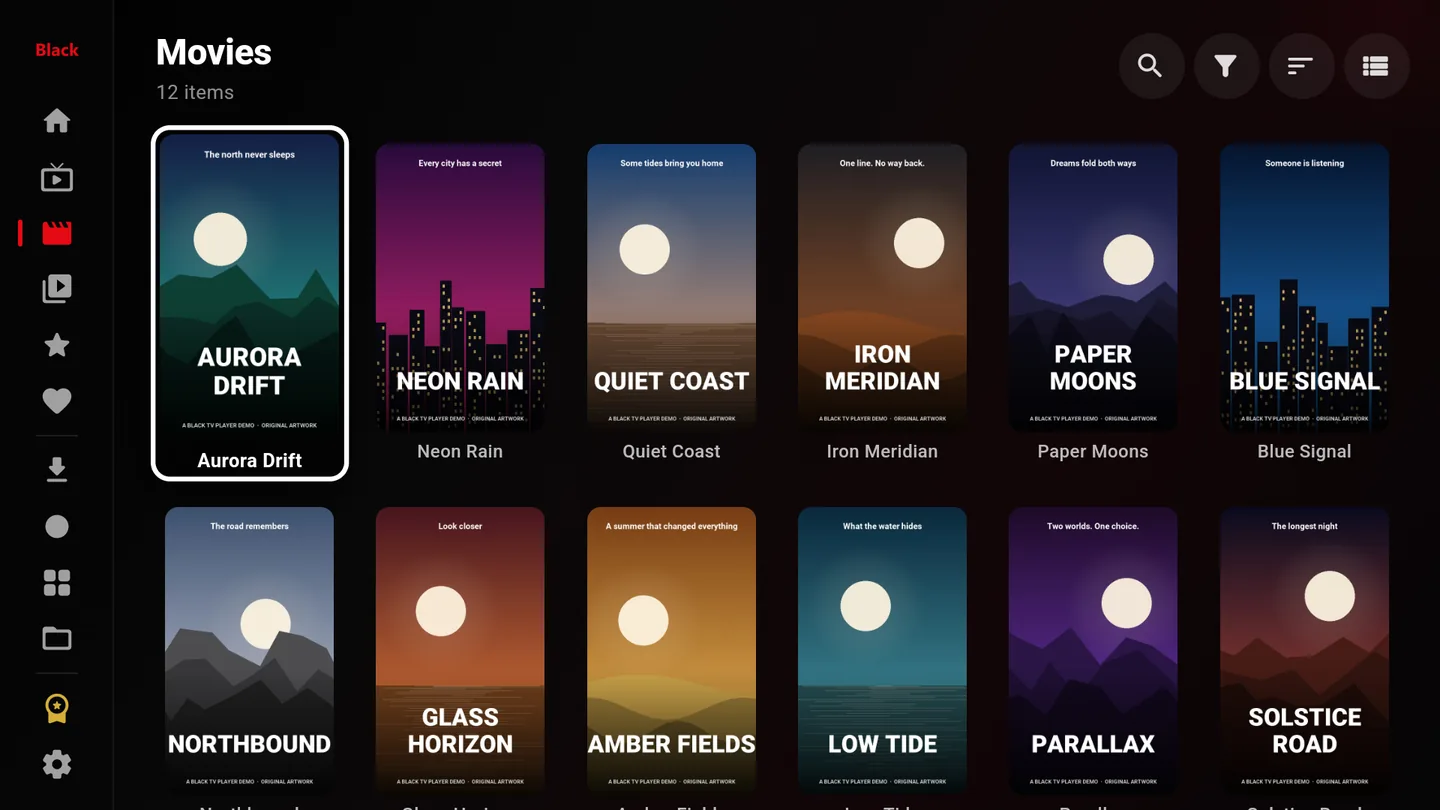
A home screen with a row for every section and large artwork that is easy to read from the couch.
Continue Watching
Movies and episodes resume exactly where you stopped.
Multi View
Watch 2 to 10 live channels on one screen — made for match days and breaking news.
Favorites & fast search
Keep what you watch most one click away and find any channel, movie or series in seconds.
Audio, subtitles & quality
Pick audio tracks, subtitles and video quality. Your subtitle choice is remembered.
Record live TV
Save a live broadcast to your device and watch it later, for personal use.
D-pad or pointer
Navigate with the classic D-pad, or switch to a smooth on-screen pointer.
Parental PIN
Lock the app with a 6-digit PIN.
28 languages
A fully translated interface, with right-to-left layouts for Arabic, Hebrew, Persian and Urdu.
Screenshots
See it on the TV
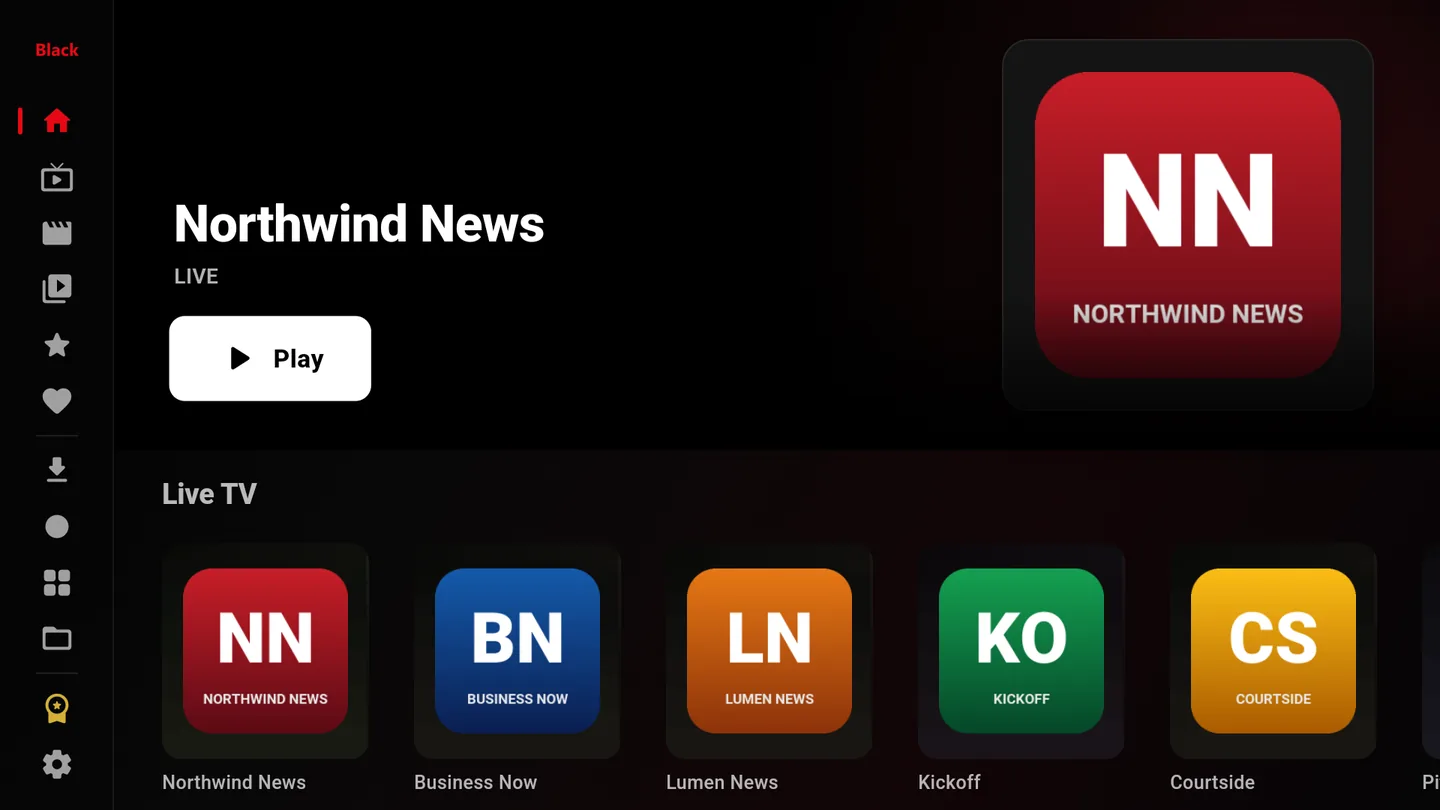
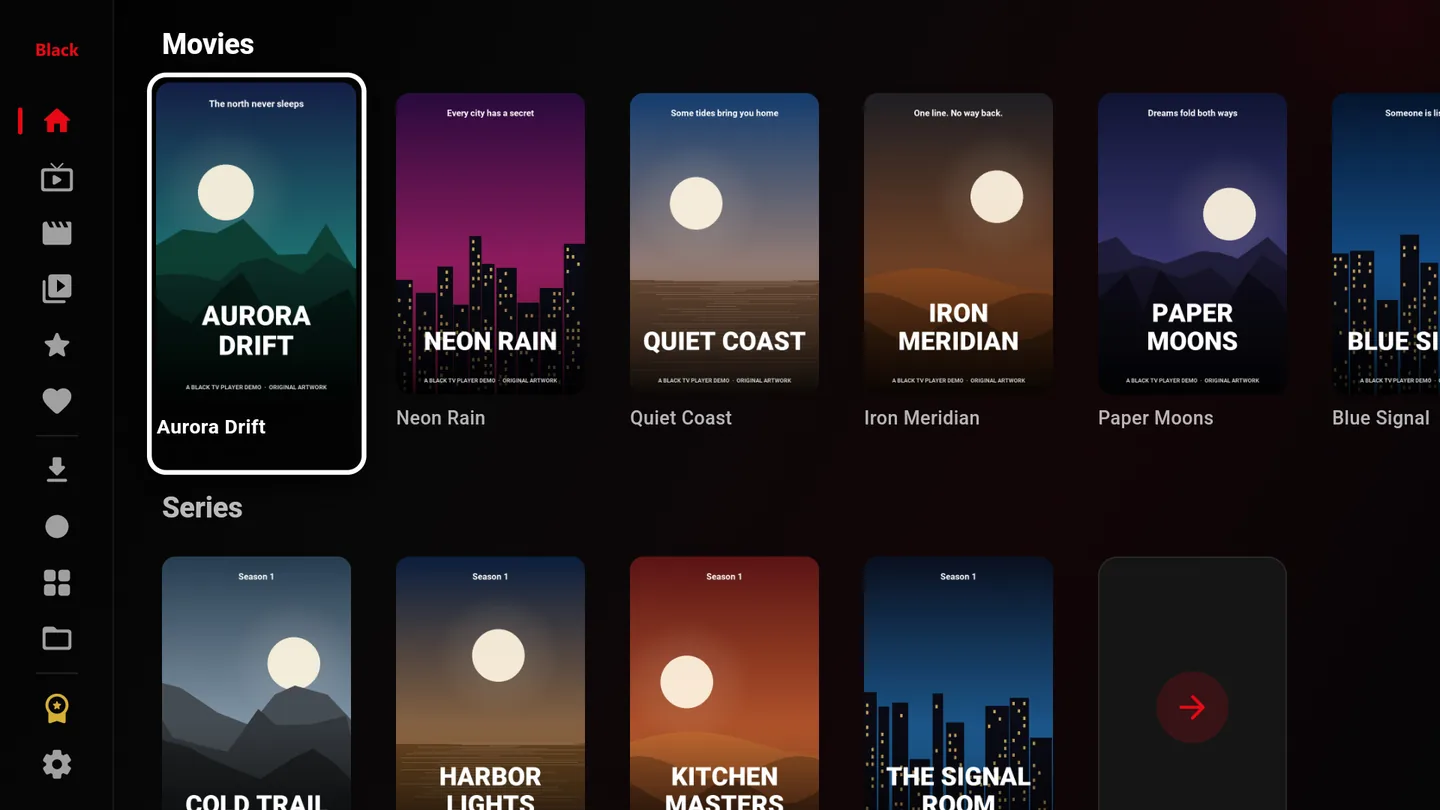
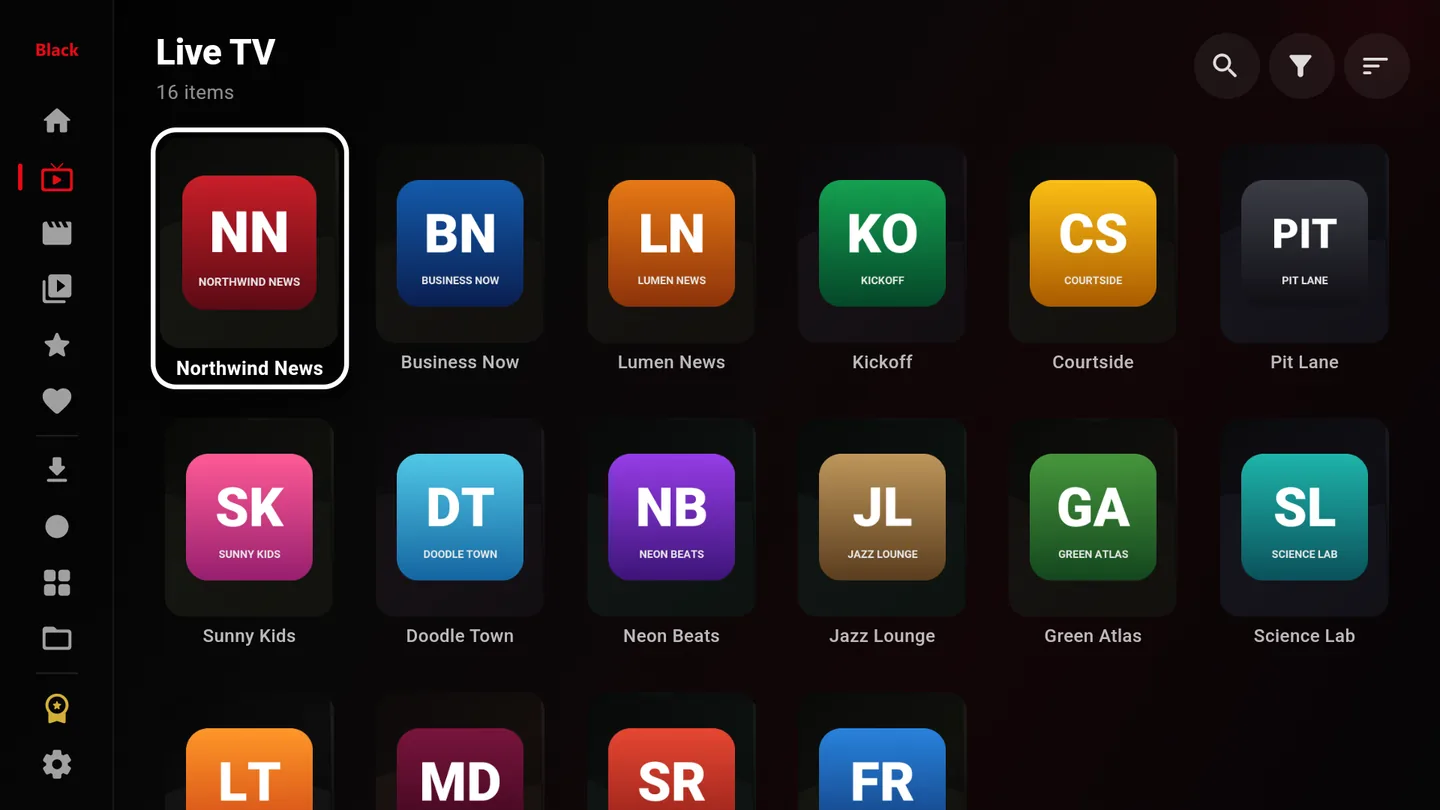
Home screen with the Live TV rowHome screen with movies and seriesLive TV: every channel at a glanceMovies with large artwork
Screenshots show demo content with invented channel names.
How it works
Three steps and you're watching
1
Install the app
Get Black TV Player on your Fire TV from the Amazon Appstore, or on your Android TV or Google TV device.
2
Add your playlist
Enter an M3U/M3U8 link, sign in with Xtream Codes, or scan the QR code to send the link from your phone.
3
Start watching
The Stream Checker cleans up the list, and you're ready: live TV, movies and series, built for the remote.
Black TV Player PRO
Free to use. PRO when you want zero ads.
The app is free and shows occasional ads. PRO removes all ads — on every channel, movie and series.
Monthly
$9.99per month
No ads anywhere in the app
Billed securely through your Amazon account
Cancel anytime
Save 75%
Yearly
$29.99per year
7-day free trial for eligible new subscribers
No ads anywhere in the app
Billed securely through your Amazon account
Cancel anytime
PRO is available in the Fire TV version from the Amazon Appstore. Prices in US dollars; local prices may vary. The subscription renews automatically until you cancel it in your Amazon account under Memberships & Subscriptions.
Compatibility
Works on your TV device
Fire TV & Fire TV Stick
Android TV
Google TV
Android TV boxes
Requires Fire OS 6 or Android 7.0 or newer. Some of the newest Fire TV Stick models run Vega OS, which doesn't support Android apps yet, so Black TV Player isn't available on them for now.
FAQ
Questions, answered
Does Black TV Player include channels or content?
No. Black TV Player is a player only. It doesn't include, sell or provide any channels, movies, series or playlists. You add your own M3U/M3U8 link or Xtream Codes login from a provider you are authorized to use.
Which devices are supported?
Fire TV and Fire TV Stick devices with Fire OS 6 or newer, plus Android TV and Google TV devices and Android TV boxes with Android 7.0 or newer. Newer Fire TV Stick models that run Vega OS aren't supported yet.
Why do live channels play more smoothly?
Pre-buffer mode keeps a deeper rolling buffer on live channels and gently corrects the playback speed, so short network drops don't freeze the picture. If a stream drops completely, auto reconnect restarts it by itself.
Can I watch without internet?
Yes. With Watch Offline you can save movies and episodes to your device and watch them later without a connection. Save only content you have the right to keep offline.
What does the Stream Checker do?
Right after you add a playlist, it scans the channels, movies and series and removes broken links, so you don't waste time on dead streams. You can cancel at any time and your playlist stays unchanged.
Is the app free?
Yes. The app is free and shows occasional ads. The optional PRO subscription removes all ads: US$9.99 per month, or US$29.99 per year with a 7-day free trial for eligible new subscribers.
How do I add a playlist without typing on the remote?
Open Add playlist, scan the QR code on the TV with your phone and paste your link there. It reaches the TV instantly.
Does it support Xtream Codes?
Yes. Sign in with your server address, username and password, or add a direct M3U/M3U8 link.
Ready for smoother TV?
Black TV Player is coming to the Amazon Appstore for Fire TV. The Google Play version for Android TV and Google TV will follow.
Coming soon toAmazon AppstoreComing soon toGoogle Play